One trip. Everyone's plan.
The whole group sees the same itinerary — and the parts that are only for one family stay theirs. Dinner for twelve, the Smiths at the aquarium, the Joneses on the golf course, all on one day, each phone showing the plan that matters to it.
No account · no ads · no tracking · syncs through your own iCloud
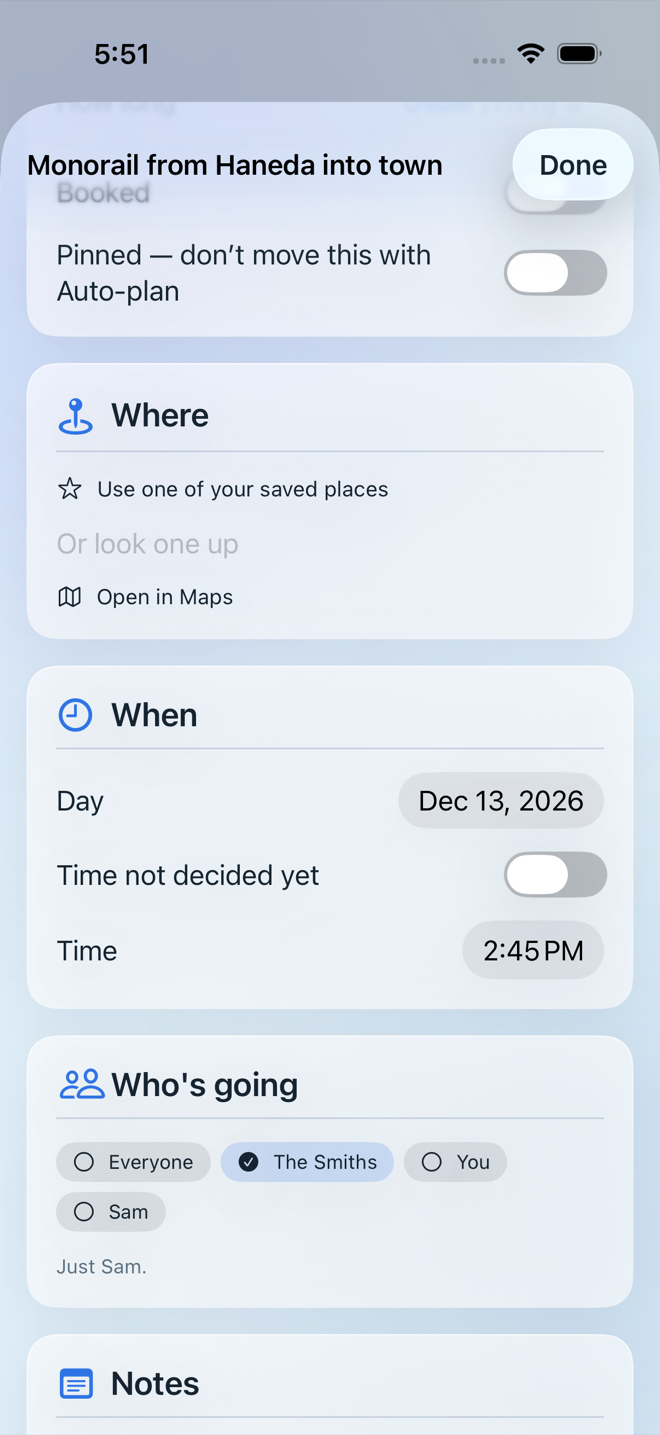
Tap “Just mine”. Each phone remembers who is holding it; the plan itself is the same for everyone.
A group trip, without the group chat.
Invite people from the trip itself. What anyone adds, changes or removes shows up for everyone — through Apple's iCloud sharing, not a server of ours. And the trip belongs to the group: if the person who started it drops out, everyone else keeps planning.
Families and groups
Put the Smiths, the Joneses and the grandparents into groups once. Every stop can then be for everyone, one family, or a few people.
Just mine
The whole plan, or only the stops you're on. Walking times and “that's too tight” warnings count only the hops the same people actually make.
Everyone packs their own
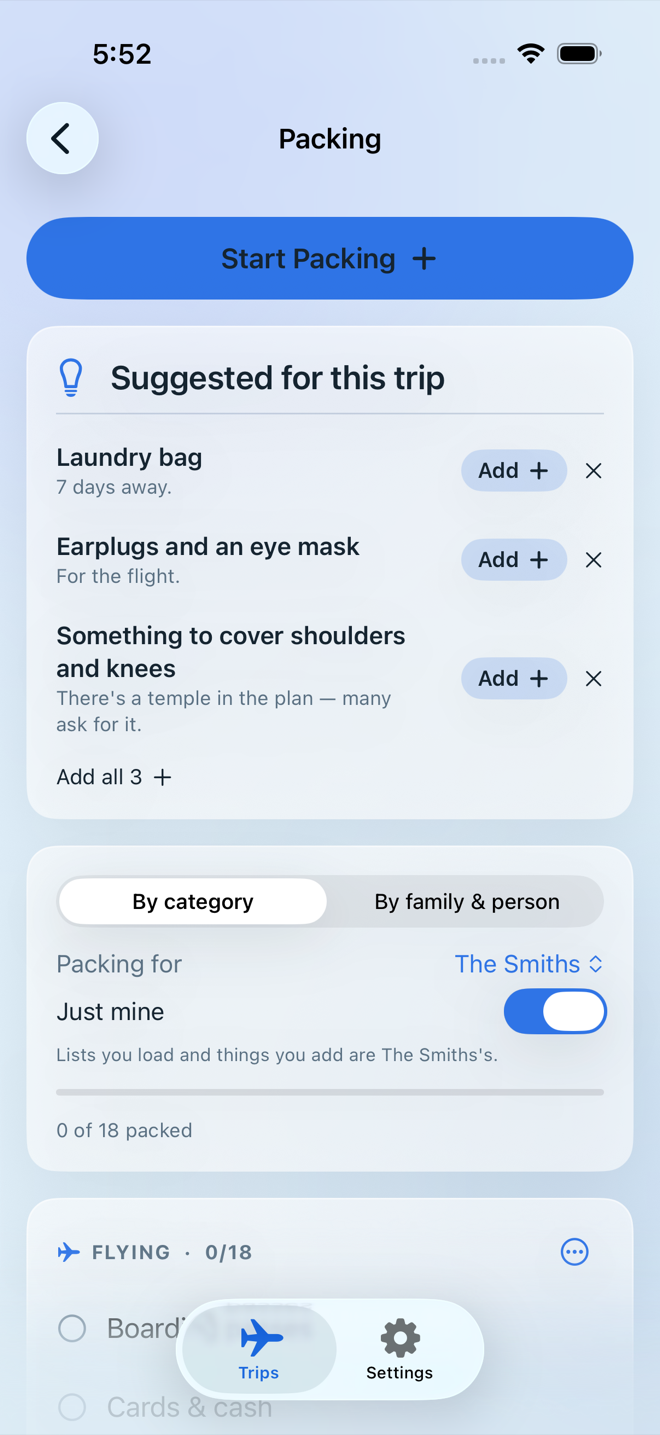
A packing list per family or person, plus a shared list for the things the whole group needs. Two families can each load their own beach list.
Anyone can invite
Whoever's on the trip can add the next person — no waiting for the organiser to do it.
Delete is just for you
Deleting a shared trip takes it off your phone only. Everyone else keeps it, and you have thirty days to change your mind.
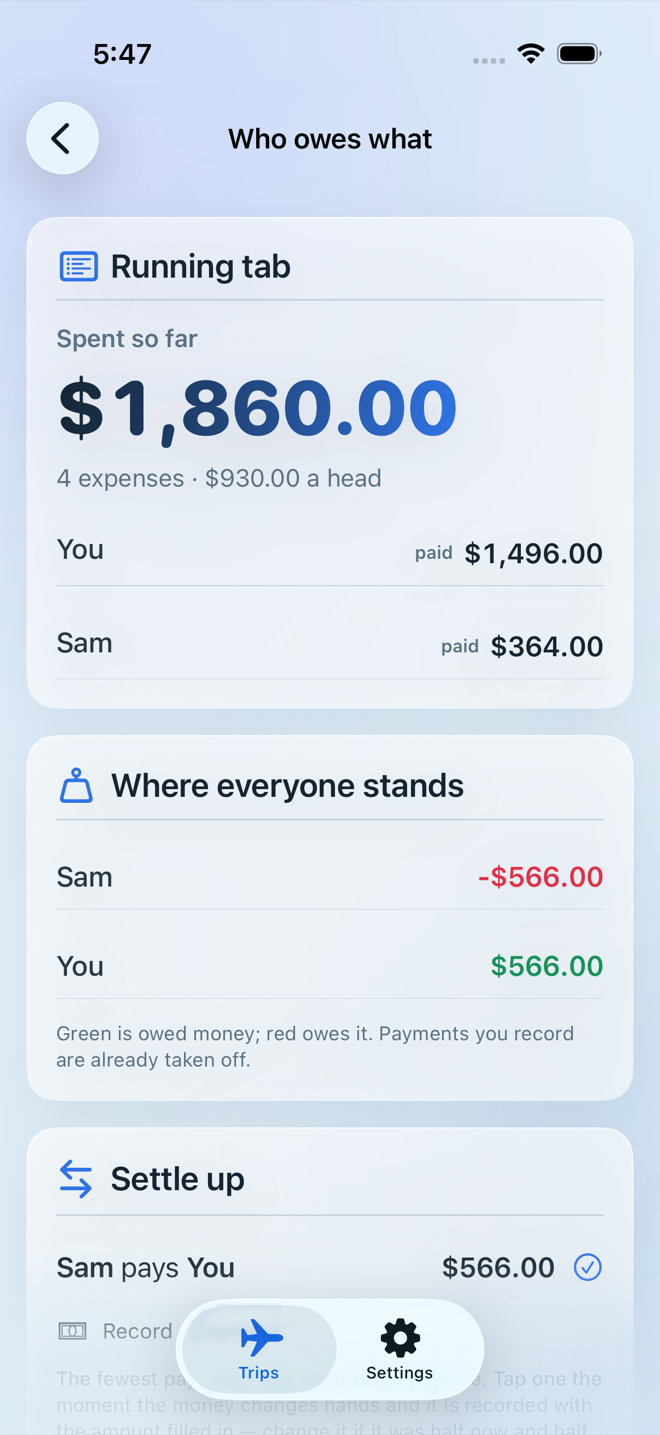
Who owes what
Shared expenses split the way they really were — a restaurant bill by who had what, tax and tip included — then settled in the fewest payments.
The whole trip, in one place.
From “we should go” to a plan that works.
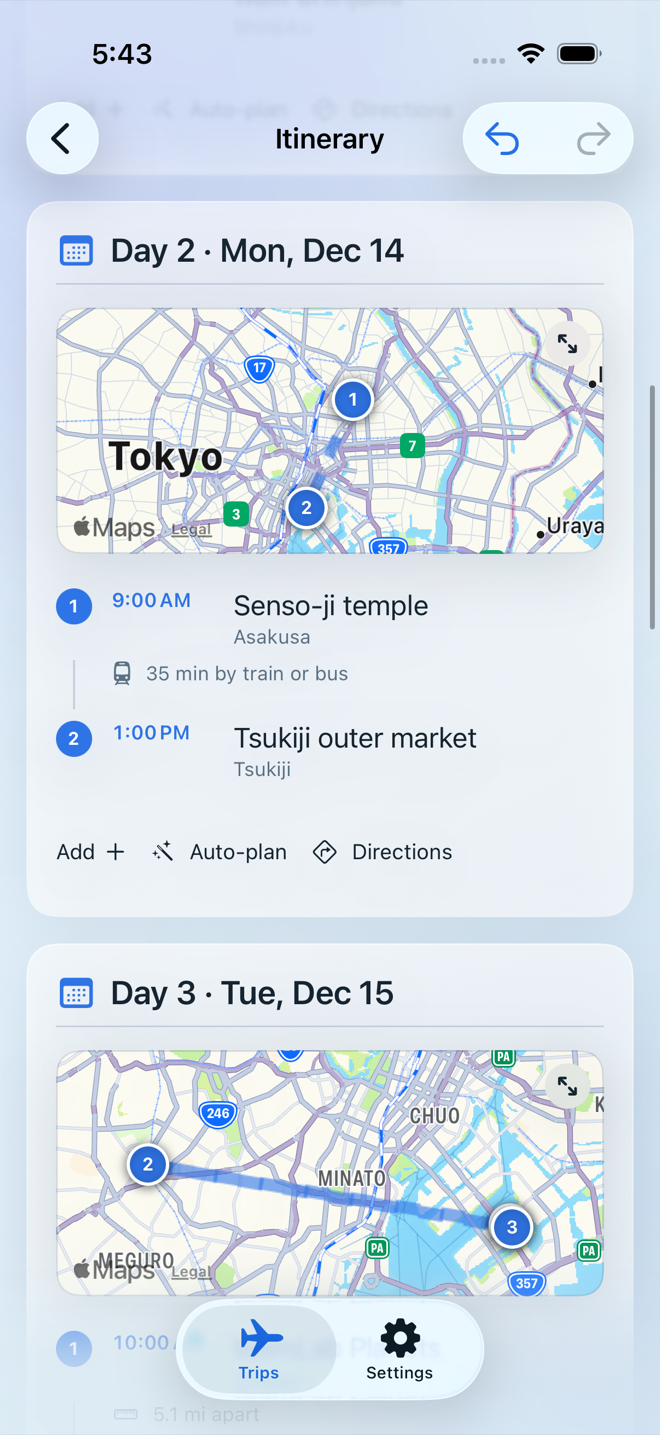
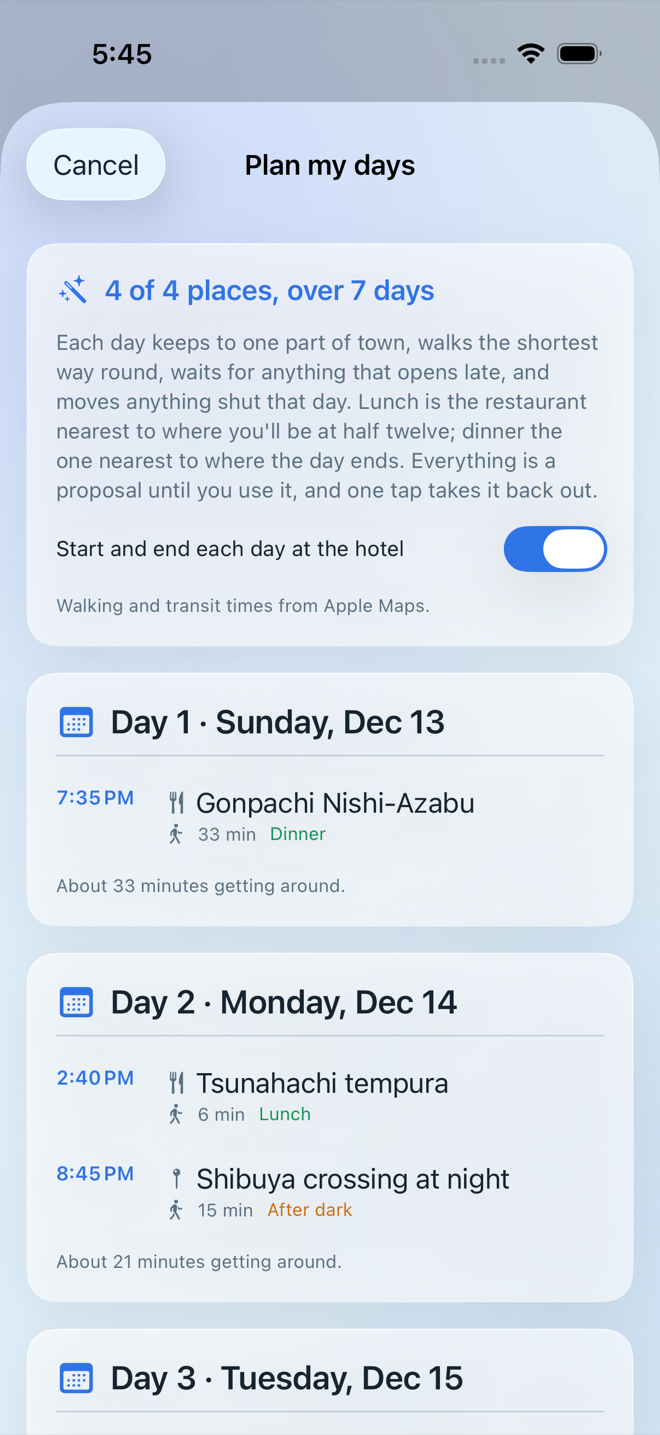
Save the places you want to see and let Trip Kit lay them out: one part of town per day, the shortest walk between them, opening hours respected, lunch and dinner at the times you actually eat.
Plan my days
Every saved place across every day, in walking order, with real walking and transit times from Apple Maps. Nothing changes until you say so, and one tap takes it back out.
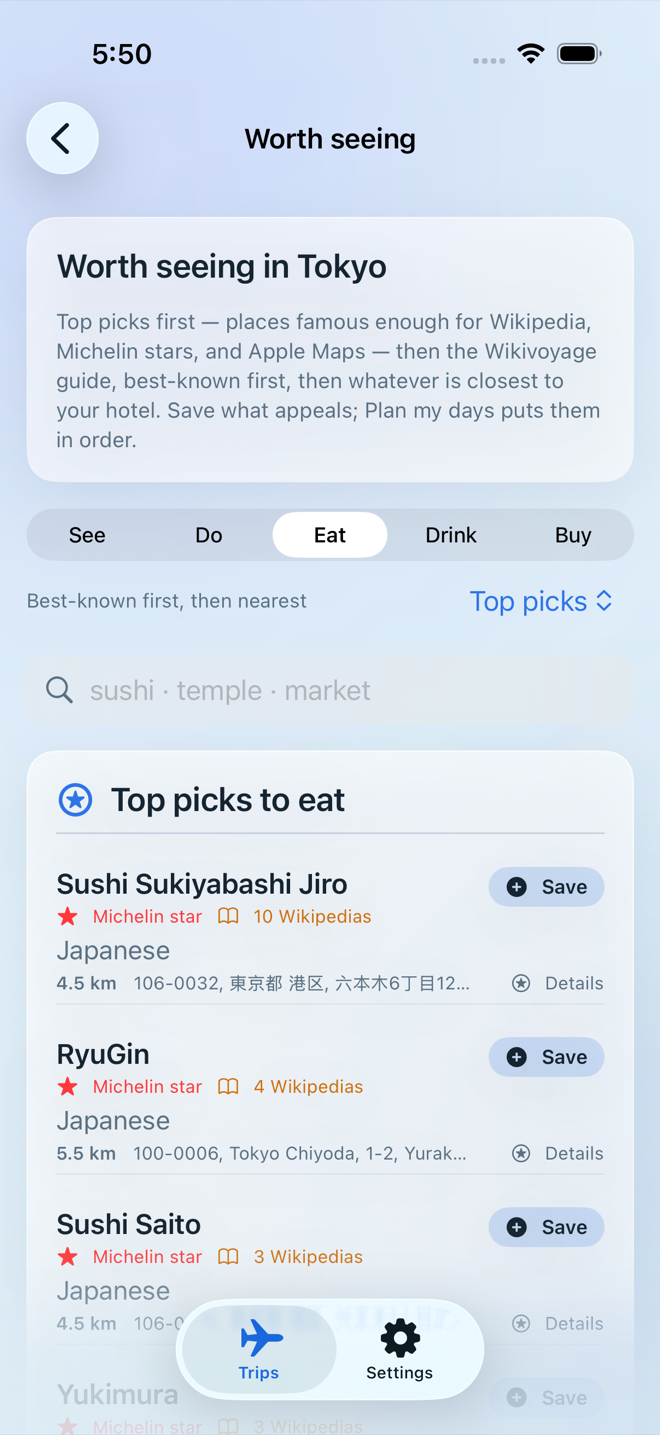
Top picks worth the trip
Michelin-starred and world-famous restaurants and sights near your hotel — checked against Apple Maps so nothing invented or closed slips in — alongside the Wikivoyage guide.
Ask or add
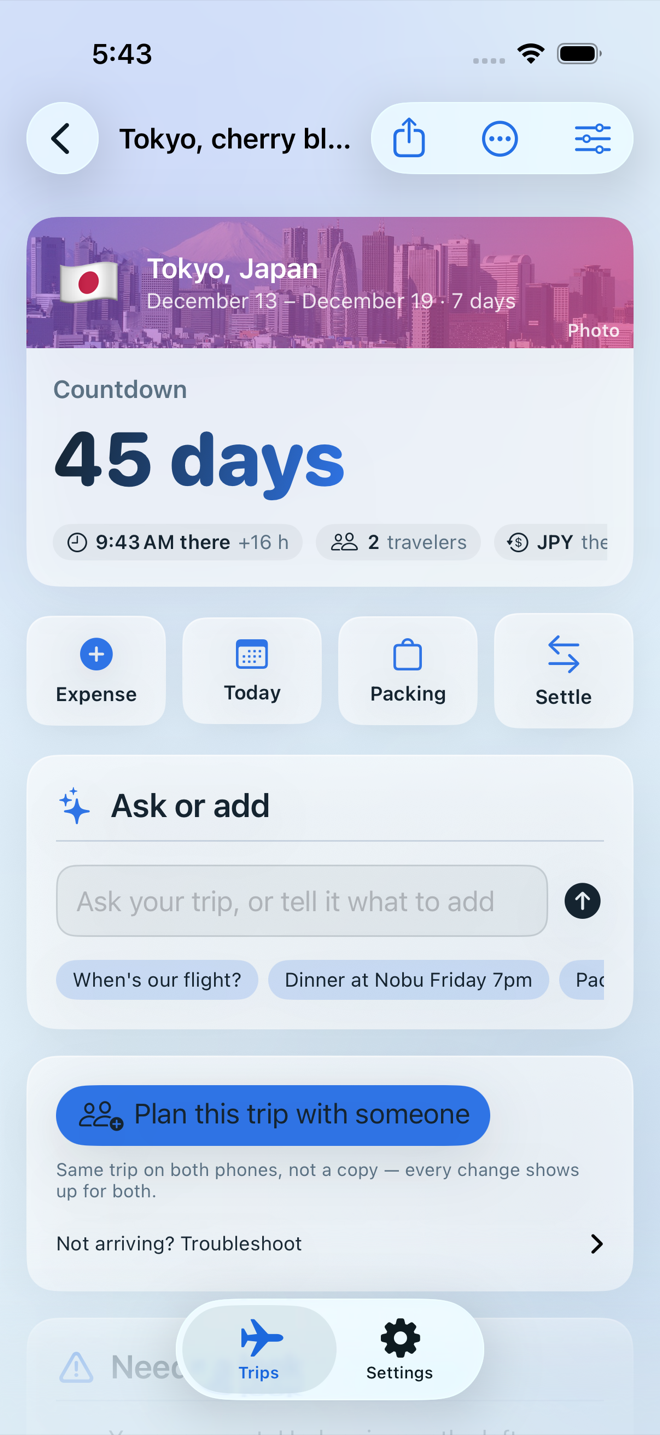
Type “Dinner at Nobu Friday 7pm” or “Aquarium Tuesday for the Smiths” and check the preview — day, time, who it's for — before it goes in. Ask “when's our flight?” and get the answer with its confirmation number.
Bookings from your email
Share an airline, hotel, train or car confirmation — or a screenshot of one — and it lands on the right day.
Made for the day you're actually there.
Your money, their prices
A budget in the currency you think in. Type what the till said in the local one and it converts — even offline.
Nearby now
Your saved places by distance with open or closed right now, the next stop on today's plan, and coffee, pharmacy or an ATM around you.
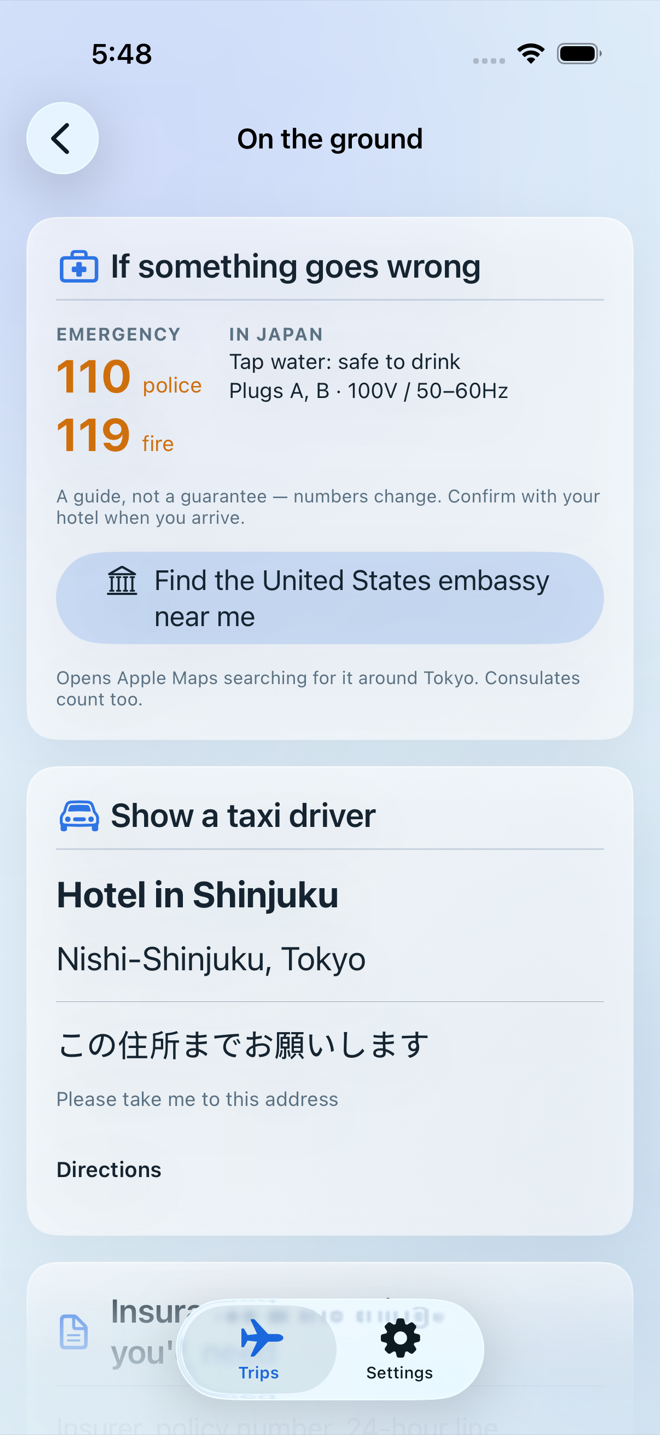
If something goes wrong
The local emergency number one tap away, your embassy on the map, your hotel's address big enough to show a taxi driver, and a phrasebook the phone speaks aloud.
Lock screen and wrist
A travel-day countdown with “be at the airport by”, a home-screen widget, and today's plan on your Apple Watch.
Ready for offline
A checklist of what you'll want without a signal — addresses, confirmation numbers, documents, an offline map — before you leave.
Apple Intelligence, optional
On iPhones that have it, it reads loose sentences and screenshots. Everything also works without it, on any iPhone running iOS 17 or later.
Your trips live in your iCloud, not on our server.
We don't have a server. Your trips sync through your own iCloud, and a shared trip is visible only to the people you invite. Your location is used while the app is open and never saved.
Read the privacy policy — including exactly what each outside service is told.
Before you go.
When can I get it?
Trip Kit is in testing now and coming soon to the App Store. It runs on iPhone and iPad with iOS 17 or later, with an Apple Watch companion.
Does everyone on the trip need the app?
Everyone who wants to see and edit the shared plan needs Trip Kit and iCloud turned on. Anyone else can be sent the plan as a PDF.
What happens if the organiser drops out?
The trip carries on for everyone else. Deleting a shared trip only removes it from the phone that deleted it.
Do I need an account?
No. There's no sign-up and nothing to log in to — Trip Kit uses the iCloud you already have.
Does it work without a signal?
Yes, for everything you've saved: the plan, bookings, packing, money, the emergency number and the phrasebook. Maps and new searches need a connection.
Where do the recommendations come from?
The Wikivoyage travel guide, Wikidata's well-known places (including Michelin stars where recorded) and Apple Maps — free, open sources, each credited in the app. No paid placements.
Check the details that matter locally. Emergency numbers, opening hours, exchange rates and forecasts are a guide, not a guarantee — confirm them with your hotel or the venue. Help & support.